Table of Content
Enter the Windows installation. By default, there’s no need for any of those boot options. It’ll start the Command Prompt with administrator privilege.
In fact, it is necessary to set a login password on screen or startup to prevent your computer from unauthorized access. However, one of most frustrating things is that you lost your Windows Vista password and got locked out of your computer. With so many passwords to remember these days, it is easy to forget one of them.
How to Change Administrator Password in Windows Vista
Press the “Shift” key fast about 5 times. This will kick the “Sticky Keys” feature. However, because of the tweaks we performed before, it’ll start the Command Prompt with admin rights. Now, restart your machine using the power button and boot normally into Windows Vista.
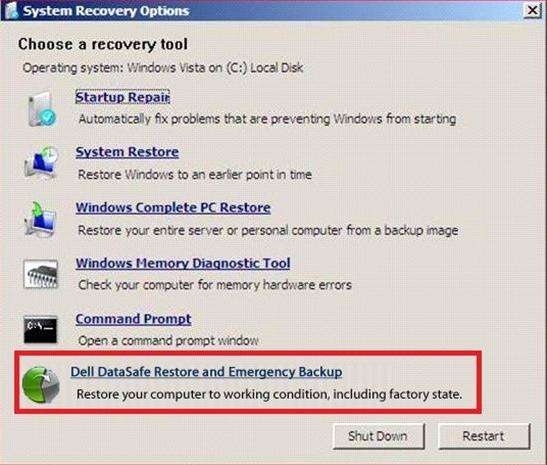
No need to panic in case the Windows Vista login password is lost. Anyone else that knows a freeware utility to reset admin passwords in Windows Vista is welcome to chime in. Users using Windows Vista can create password reset disks for deleting the existing password assigned to a user account. You have a Windows Vista installation CD or create one yourself. Don’t try to reinstall Windows OS at first.
Tips to Reset Windows Vista Password When You Forgot It
Download and install Password Rescuer Personal on another computer which you can access as administrator. If you watched closely, anyone can pull off these tricks without much hassle. Keep your important data encrypted with strong encryption algorithms. You can also password-protect BIOS access so that no one can boot into any other device without your permission.
From the main GUI, select “English” as your basic language and click on the “Next” button. Be sure to enter a password you can remember with enough security. Choose "Safe Mode with Command Prompt" from the options.
Method 2. Factory Reset Windows Vista/XP in Safe Mode
The Sticky Keys trick to restore a forgotten administrator password is reliable, easy to carry out, and does not require third-party software. All you have to do is boot up from a Windows Vista setup DVD, launch the Windows Recovery Environment , and then replace the sethc.exe file with cmd.exe. You can also use this method for Windows 7, but you have to use a Vista or Windows 7 DVD.
Click here toemail me now; optionally, you can review my resume here. You can also readhow I can fix your computer over the Internet . There will be some commands needed to execute, but it's quite simple if you follow step by step. Restart your computer and log in with your local account using your new password. Reboot your locked computer and enter the advanced boot options.
Method #1: Use the Hidden Admin Account in Vista
In my case, it’s the user “Viktor”. The administrator password will be reset to blank. Log on another computer with an admin account, purchase Windows Password Rescuer Personal full version. When you receive a full download link in email, click the link to download and then install it on the computer. Trial version can be downloaded here.

Click it to open Command Prompt window. Although Microsoft's support for Windows Vista has been discontinued for a long time, some people still like to use this OS. Sometimes, they may forget Windows Vista password.
Power on your computer, press F8 or Fn+F8 key immediately to open Windows Vista Advanced Boot Options. Use down key to select Safe Mode with Command Prompt and press Enter key to boot Windows Vista. Select "Safe Mode with Command Prompt" and login to the account with administrator privilege. But in most cases, you're the only user of the computer and the Windows Vista password reset process may be more complicated. Log in Windows Vista with the administrator account. When the program asks you to confirm, unplug your USB and then click “Yes” to restart your Dell laptop.
Resetting an admin or user password for Windows Vista uses similar methods previously discussed. Note that if you can login as the "Administrator" user, you can also use this account to reset any user password on the system. I assume that the user doesn't have a password reset disk, so I will not include instructions on that. This is an easy-to-use Windows password reset tool which can reset any forgotten user account’s password in Windows Vista. Of course, it also works for any other Windows system such as Windows 10, 8.1, 8, 7, XP and Windows server.
Use up or down key to select boot in Safe Mode option and press Enter key to boot. The wizard asks you to choose the “password key disk”, choose your inserted drive from pull down list and then click Next. This guide shows you how to reset administrator password on Windows Vista without files loss by using CD/DVD/USB.
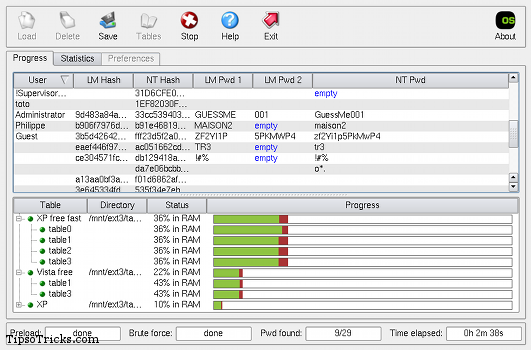
If the above method seems to be difficult, no problem, you can perform Windows XP/Vista factory reset without password using Safe Mode. Basically, Safe Mode deactivates all the services and programs to allow you to troubleshoot your operating system. Safe Mode is considered the easiest way to factory reset Windows if you don’t have access to the system anymore.


No comments:
Post a Comment