Table of Content
- Reset Windows Vista Administrator Password on Dell Laptop
- Tip 2: Reset Dell Laptop Password Windows Vista with Password Key Disk from Microsoft.
- How to Factory Reset Windows Vista/XP Without Password
- How to Bypass Windows Vista Password with/without Software
- Option 3. Reset Vista Password using Sticky Keys Trick
Click Administrator to log on without password. If you never created a password for it, you can easily log on the administrator in safe mode. Now the administrator password has been reset to blank, this means there is no password for this account now. You can reset other Windows Vista user accounts password as well if you need.
In my case, the Windows installation is situated on drive C. If it’s different in your case, make sure to the appropriate one. Run the first command (type the command and hit “Enter”). There are multiple ways to bypass Windows Vista password without disk. However, most of them aren’t so user-friendly. That’s where 3rd-party tools come in.
Reset Windows Vista Administrator Password on Dell Laptop
Finally go to situation 1 to change administrator password in Windows Vista with ease. Among many recovery tools, I highly recommend the Windows Password Reset that is really a fantastic software regarding resetting Windows passwords. It works not just for bypassing Windows passwords, you can also make use of this tool for recovering lost passwords on all versions of Windows except Windows XP/Vista.

One such tool is Windows Password Reset. It makes the password reset procedure extremely simple. It’s a powerful all-in-one tool that supports all the major Windows operating systems like Windows XP, Vista, 7, 8, 8.1, 10, and Windows Server 2008, 2012, and 2016, etc.
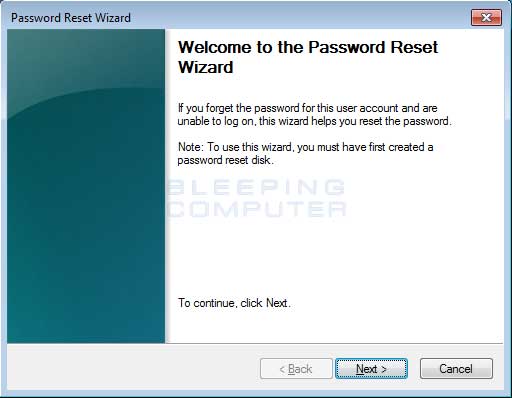
Tip 2: Reset Dell Laptop Password Windows Vista with Password Key Disk from Microsoft.
Windows Password Rescuer makes the process of unlocking Windows Vista Home Basic extremely simple. Only three steps to reset Windows Vista Home Basic administrator or other user accounts’ password. It works perfectly for all Windows Vista editions and any other Windows system, Windows 10, 8.1, 8, 7, XP etc. Now, how do we access this account? However, our options are limited as we’ve forgotten the login password to our account. In this situation, we have to boot Windows Vista installation disk, perform some tweaks and revert back the changes.
In this case, it’s my Windows Vista Ultimate on C drive. Download the installer and install it in a system that you have access to. Once the installation is complete, start the tool. Now, boot into the Windows Vista installation media and open Command Prompt from “System Recovery Options”. In the case of Windows, there’s a built-in account that holds omnipotent power on the system. It’s the “Administrator” account.
How to Factory Reset Windows Vista/XP Without Password
Website and products are 100% clean and secure which were approved by Norton and McAfee and other. Please feel free to browse and download program on the site. Select the USB drive name from pull-down list and click "Begin Burning" to start burning. Login into the Windows Vista accounts with the new password. Once connected, the tool should automatically detect the USB drive. Then click the “Begin burning” button.
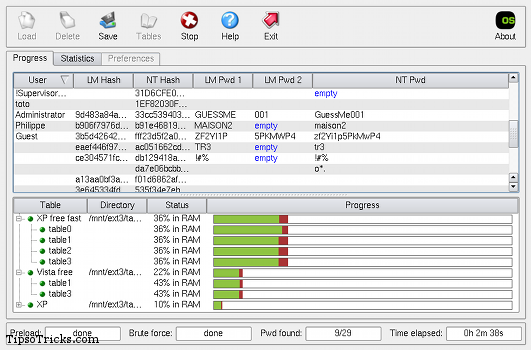
From the main GUI, select “English” as your basic language and click on the “Next” button. Be sure to enter a password you can remember with enough security. Choose "Safe Mode with Command Prompt" from the options.
Method 3: Reset Windows Vista Administrator and User Password with Command Prompt Opened by Using System Installation Disk.
Similar to Windows Password Reset, this tool also requires creating a bootable media, booting into the drive and performing the system tweaks. Replace the username field with the username you want to change password. The password field will hold the new password for the user account. Next, “Step 2” is to select the user account.
Select the user account you wish to reset the password and click the Reset button. If you are allowed into your system and have another administrator-level user account, you can also change your password in it. You can bypass the password by running the Safe Mode after rebooting your Windows Vista in case you don't have a password reset disk. This is the easiest way to use Command Prompt to reset Windows Vista password.
It can be a real pain to grab a copy of Windows Vista installation media as it’s been years since the last copy of Vista was sold. If you happen to have one, that’s awesome! If not, try looking on the internet. Connect the USB drive to the machine. Restart and get into the boot menu. From the boot menu, select the USB flash drive to boot.
Now, restart the system manually. Press “Ctrl + Shift + Del” to restart the machine. If you messed up, you can enter “y” at this point. It’ll revert back all the changes made to the system.
The Sticky Keys trick to restore a forgotten administrator password is reliable, easy to carry out, and does not require third-party software. All you have to do is boot up from a Windows Vista setup DVD, launch the Windows Recovery Environment , and then replace the sethc.exe file with cmd.exe. You can also use this method for Windows 7, but you have to use a Vista or Windows 7 DVD.


No comments:
Post a Comment